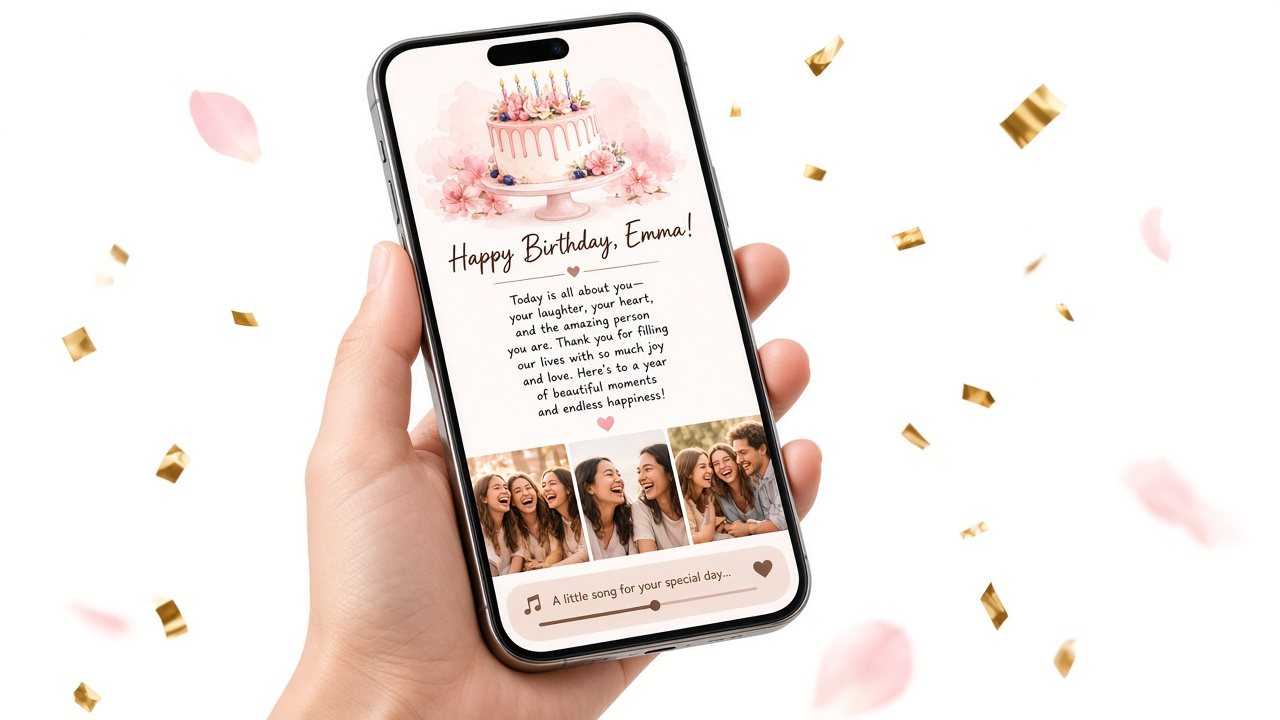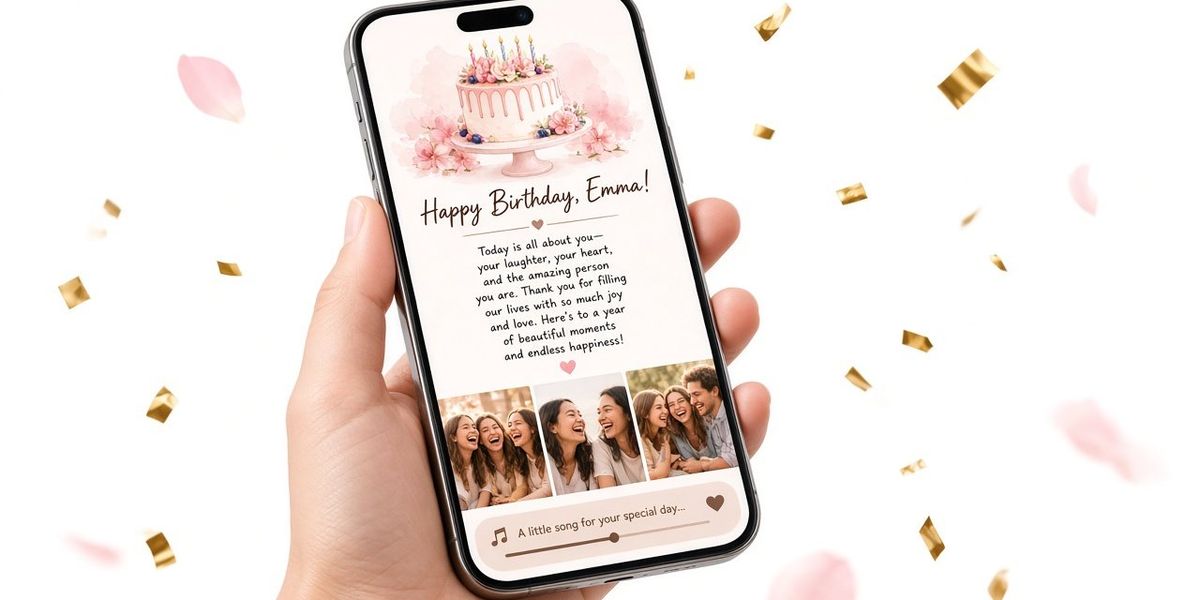
You have made the page. The letter is right, the photos are in order, the song is perfect. Now there is one last decision that matters more than people expect: when, and how, to send it.
The same birthday surprise can feel magical at the right moment and get skimmed at the wrong one. This guide compares the best times to send a birthday surprise link, the channels that work, a checklist to run before you hit send, and what to do if something goes wrong.
The golden rule: five quiet minutes
The best moment to send a birthday surprise link is one where they can give it five quiet minutes. Not while they are driving, not in the middle of a meeting, not when they are juggling kids at breakfast. Everything below is a way of finding that moment.
Option 1: Midnight
Send it the second their birthday begins.
Why it works: It is the first birthday message they get, and it shows you were waiting for it. It is especially sweet for partners and close friends.
Watch out for:
- People who sleep early. They will wake up to it, which is fine, but the "first message" effect is lost if ten other people also texted overnight.
- Time zones. Midnight is their midnight, not yours. For long-distance surprises, write their midnight in your own time zone in your calendar.
- No automatic send. You need to be awake. Set an alarm for 11:55 PM (their time) and have the link copied and ready.
Sample message: "It's officially your birthday. I made you something. Open it when you have a quiet minute."
Option 2: The morning
Send it when they usually wake up, or with their first coffee.
Why it works: They are rested and have time, and it starts their whole day on a good note. This is the safest choice for most people, including parents.
Watch out for: Rushed mornings. If they leave for work at 7:15, sending at 7:05 means they will skim it. Either go earlier or wait until they are settled.
Sample message: "Happy birthday! Before your day gets busy, here's something from me. Turn the sound on."
Option 3: During a meal or celebration
Send it at dinner, at their party, or when the cake comes out.
Why it works: It turns the page into a moment within the day. If you are sitting next to them, you get to watch them read.
Watch out for: Crowds. A heartfelt letter can be a lot to read in front of people. At a party, consider sending it with "Open this later, when it's quiet," or hand over a card with the QR code to open at home. Our post on birthday website vs party invitation covers how to combine a party and a page.
Option 4: In person, with a QR code
Write or print the QR code in a paper card, or attach it to a present.
Why it works: It combines something physical with everything a page can hold. Older relatives often find scanning a code inside a card easier than opening a link in a message.
Watch out for: The scan. Make sure their phone camera recognizes QR codes (most do now). Test the printed code with your own phone before you seal the envelope.
Option 5: On a video call
Send the link during a call and stay on while they open it.
Why it works: For long distance birthday surprise plans, it is the closest thing to being there. You get to see their face.
Watch out for: Audio. If the song plays on their phone during a call, they may not hear you, or you may hear an echo. Suggest they mute the call while the song plays.
Quick comparison
| Timing | Best for | Main risk |
|---|---|---|
| Midnight | Partners, night owls, close friends | They are asleep; time zones |
| Morning | Almost everyone, parents | Rushed start to the day |
| Meal or party | People you are with on the day | Too public for a personal letter |
| QR in a card | Gifts in person, older relatives | Scan issues |
| Video call | Long distance | Audio echo |
Choosing the channel
Use the channel you already talk on. A link from your usual chat thread feels natural and personal. Some notes:
- Text or chat app: Fastest and most natural. Send the link on its own line with a short message before it.
- Email: Feels more like a letter. Good for parents, or if the page is the main gift. Use a subject line like "Open this when you have five minutes."
- QR code in a card: Best for in-person gifts and anyone who prefers paper.
- Social media: Avoid posting the link publicly. Anyone with the link can open the page, so send it directly.
The pre-send checklist
Run through this the day before, not five minutes before:
- Unlock the page. Before unlocking, the link shows only the cover and a short preview of the letter. If you want them to see the letter, photos and song, unlock first.
- Open the link on your own phone, not just in the editor preview, the way they will see it.
- Read the letter one last time. Out loud catches typos.
- Tap the song. Make sure it opens the right track. A direct audio file plays on the page; other links open as a button.
- Check the cake opening is on or off the way you want.
- Copy the link somewhere safe, like a note to yourself, so you are not hunting for it at midnight.
- Test the QR code if you printed one.
- Set an alarm for your send time, especially for midnight.
If you have not built the page yet, start with how to make a birthday website.
Writing the message that goes with the link
A bare link can look like spam. A one-line message makes it feel like a gift. Some options:
- "Happy birthday. I made you something. Turn your sound on."
- "Open this when you're somewhere quiet. Love you."
- "It's midnight where you are, so you get the first one."
- "This is from me, and a few people who love you."
- "I couldn't fit everything in a card, so here's a whole page."
Keep it short. The page does the talking.
What to do if they cannot open it
It rarely goes wrong, but if it does, stay calm and try these in order:
- Copy and paste the link into their browser instead of tapping it inside an app.
- Try a different browser on their phone.
- Switch networks: Wi-Fi to mobile data, or the other way around.
- Scan the QR code with their phone camera instead.
- Resend the link as plain text, not a screenshot.
- Check the page is unlocked if they only see the cover and preview.
If nothing works in the moment, open it on your phone and hand it to them. The words are the gift; the device does not matter.
Timing by relationship
If you are still unsure, here is a starting point based on who the page is for:
- Girlfriend or boyfriend: midnight, if you usually talk late; otherwise, the first thing in the morning.
- Wife or husband: breakfast in bed with the link on their phone, or after the kids are asleep in the evening.
- Best friend: whenever you always text each other, which is often midnight.
- Mom or dad: morning, or a QR code inside a card at a family meal. Many parents appreciate being able to reread it later in a quiet moment.
- Long-distance partner or friend: their midnight, or a video call in their evening.
- A group surprise: after the party moment has passed, with "Open this later, when it's quiet."
Should you tell them it's coming?
A small hint can build anticipation without spoiling anything. "Keep your phone nearby tonight" or "Don't open anything from me until you're home" makes the moment feel planned. Just do not hint so hard that the reveal feels like an anticlimax.
After they open it
The moment after they finish reading is part of the gift too. A few small things help:
- Be reachable. If you sent it at midnight, stay up for a little while. If you sent it in the morning, keep your phone nearby.
- Do not ask "Did you see it?" too soon. Give them time to read, scroll the photos and play the song.
- Let them react their way. Some people call right away. Some send a single heart and bring it up at dinner. Both are fine.
- Keep the link handy. They may ask for it again later to show someone or reread it.
The bottom line
When to send a birthday surprise link comes down to one question: when will they have five quiet minutes? Midnight for the eager, morning for most, a meal or a QR card for in-person gifts, and a video call when you are far apart. Use the channel you already talk on, add a one-line message, and run the checklist the day before.
If your page is not ready yet, there is still time. Build a birthday gift website, preview it free on your phone, and pick the moment that fits the person.